Hi,
First, thanks for an awesome bit of software.
We are evaluating RadioBOSS and are seriously considering purchasing it. I have two questions/feature requests regarding scheduling.
We have some rather unique scheduling requirements for a non-profit community radio station.
At certain times during the day, we have to take a break and sound a Prayer Alert, this has to happen in conjunction with either a live presenter OR during an unmanned play list.
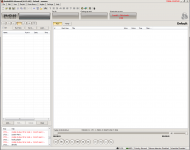
I like how the scheduled entry flashes RED for 10secs prior to a scheduled item is played (by the way my schedule contains 2500 events via csv import.. well into 2011 and it is very stable). Can we make the flashing more prominent ON the main screen? Say for example flash the whole toolbar.
At the moment the entry flashes ONLY if you are on the schedule "tab" so it could easily be missed by a live presenter if they are choosing some more songs etc.
The second question re scheduling is, at the moment, if we have selected the "Run scheduled launch without waiting for current track to finish" option, the schedule automatically interrupts the playing song by cutting it off (no cross fades). Once the scheduled item is completed, it just plays the next song in the list. Is it possible for the scheduled item to simply PAUSE the currently playing track (preferably with a fade in) and then once completed, PLAY the paused track from where it left off (again preferably with a fade in)?
Currently, this cant happen for any unmanned shows (the manned shows can be controlled manually).
The reason for this is because we generally play a lot of lecture type material. Say we got 20 minutes into a 40 minute lecture and a scheduled item starts it not only loses the place the lecture was at but also skips the remaining part of the lecture.
Thanks in advance and apologies for the long post.
First, thanks for an awesome bit of software.
We are evaluating RadioBOSS and are seriously considering purchasing it. I have two questions/feature requests regarding scheduling.
We have some rather unique scheduling requirements for a non-profit community radio station.
At certain times during the day, we have to take a break and sound a Prayer Alert, this has to happen in conjunction with either a live presenter OR during an unmanned play list.
I like how the scheduled entry flashes RED for 10secs prior to a scheduled item is played (by the way my schedule contains 2500 events via csv import.. well into 2011 and it is very stable). Can we make the flashing more prominent ON the main screen? Say for example flash the whole toolbar.
At the moment the entry flashes ONLY if you are on the schedule "tab" so it could easily be missed by a live presenter if they are choosing some more songs etc.
The second question re scheduling is, at the moment, if we have selected the "Run scheduled launch without waiting for current track to finish" option, the schedule automatically interrupts the playing song by cutting it off (no cross fades). Once the scheduled item is completed, it just plays the next song in the list. Is it possible for the scheduled item to simply PAUSE the currently playing track (preferably with a fade in) and then once completed, PLAY the paused track from where it left off (again preferably with a fade in)?
Currently, this cant happen for any unmanned shows (the manned shows can be controlled manually).
The reason for this is because we generally play a lot of lecture type material. Say we got 20 minutes into a 40 minute lecture and a scheduled item starts it not only loses the place the lecture was at but also skips the remaining part of the lecture.
Thanks in advance and apologies for the long post.