

Radio-Albena
Member
Hi,
I have a question about the Music Library function Tools → Remove entries for non-existent files.
Today I ran this function and RadioBOSS removed 72 entries from my library. What confuses me is that I definitely did not manually delete that many music files.
Does RadioBOSS check the complete Music Library in the background and remove entries where the file is temporarily unavailable, moved, renamed, located on another drive, or otherwise cannot be found at that moment?
I would like to understand exactly what criteria RadioBOSS uses when this function is executed.
For example:
RadioBoss 7.2.5.0
Thanks for any clarification.
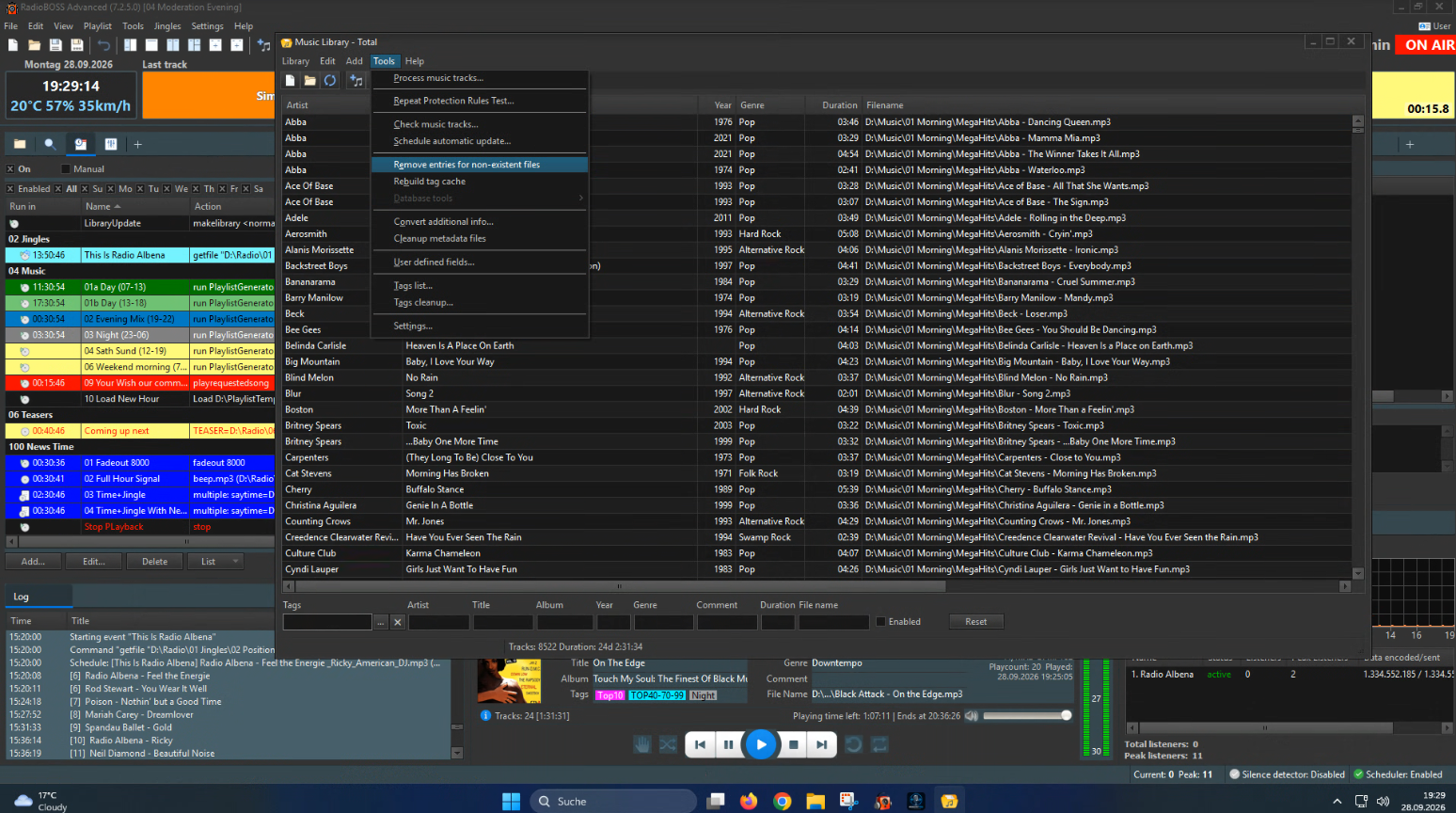
I have a question about the Music Library function Tools → Remove entries for non-existent files.
Today I ran this function and RadioBOSS removed 72 entries from my library. What confuses me is that I definitely did not manually delete that many music files.
Does RadioBOSS check the complete Music Library in the background and remove entries where the file is temporarily unavailable, moved, renamed, located on another drive, or otherwise cannot be found at that moment?
I would like to understand exactly what criteria RadioBOSS uses when this function is executed.
For example:
- Does it check files automatically and regurlarly stored in the library?
- Is there any log or list showing which entries were removed?
RadioBoss 7.2.5.0
Thanks for any clarification.

