Report Generator - Displaying file types

Guillaume

Active member
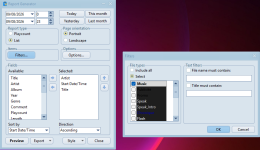
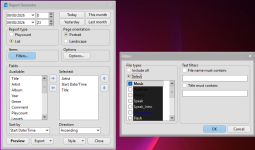
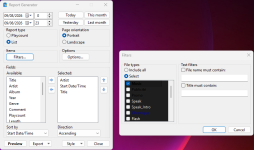
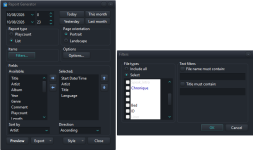
Report Generator > Items > Filters

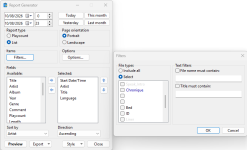
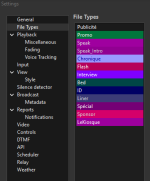
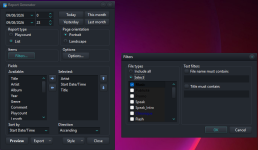
A dark background appears in the list of file types. Depending on the font color, it is unreadable. The font style affects this as well. Is it possible to remove this dark background?
 

Attachments

  • ReportGenerator_Items_Filters_Glow.png
    ReportGenerator_Items_Filters_Glow.png
    91.8 KB · Views: 10
  • ReportGenerator_Items_Filters_Iceberg.png
    ReportGenerator_Items_Filters_Iceberg.png
    89.7 KB · Views: 13
  • ReportGenerator_Items_Filters_Slate.png
    ReportGenerator_Items_Filters_Slate.png
    86.4 KB · Views: 10
  • ReportGenerator_Items_Filters_Windows.png
    ReportGenerator_Items_Filters_Windows.png
    87.1 KB · Views: 10
Yes, I use a dark theme.
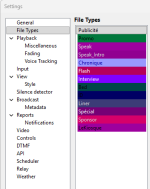
When I use a light (flat) theme, the problem is the same but reversed.

Is it possible to change how the "File Types" area is displayed in Report Generator?
Could the display be made "neutral" and based on the current style? (I’m asking this without knowing if it’s technically feasible for you...)

I think this affects all users who configure file type colors in Settings.
When using Report Generator, some file types inevitably become unreadable depending on the theme.
 

Attachments

  • ReportGenerator_FlatTheme_Glow.png
    ReportGenerator_FlatTheme_Glow.png
    48.1 KB · Views: 2
  • ReportGenerator_FlatTheme_Windows.png
    ReportGenerator_FlatTheme_Windows.png
    43.3 KB · Views: 2
  • Settings_FileTypes_DarkTheme.png
    Settings_FileTypes_DarkTheme.png
    16.7 KB · Views: 2
  • Settings_FileTypes_FlatTheme.png
    Settings_FileTypes_FlatTheme.png
    16.7 KB · Views: 2
Back
Top