
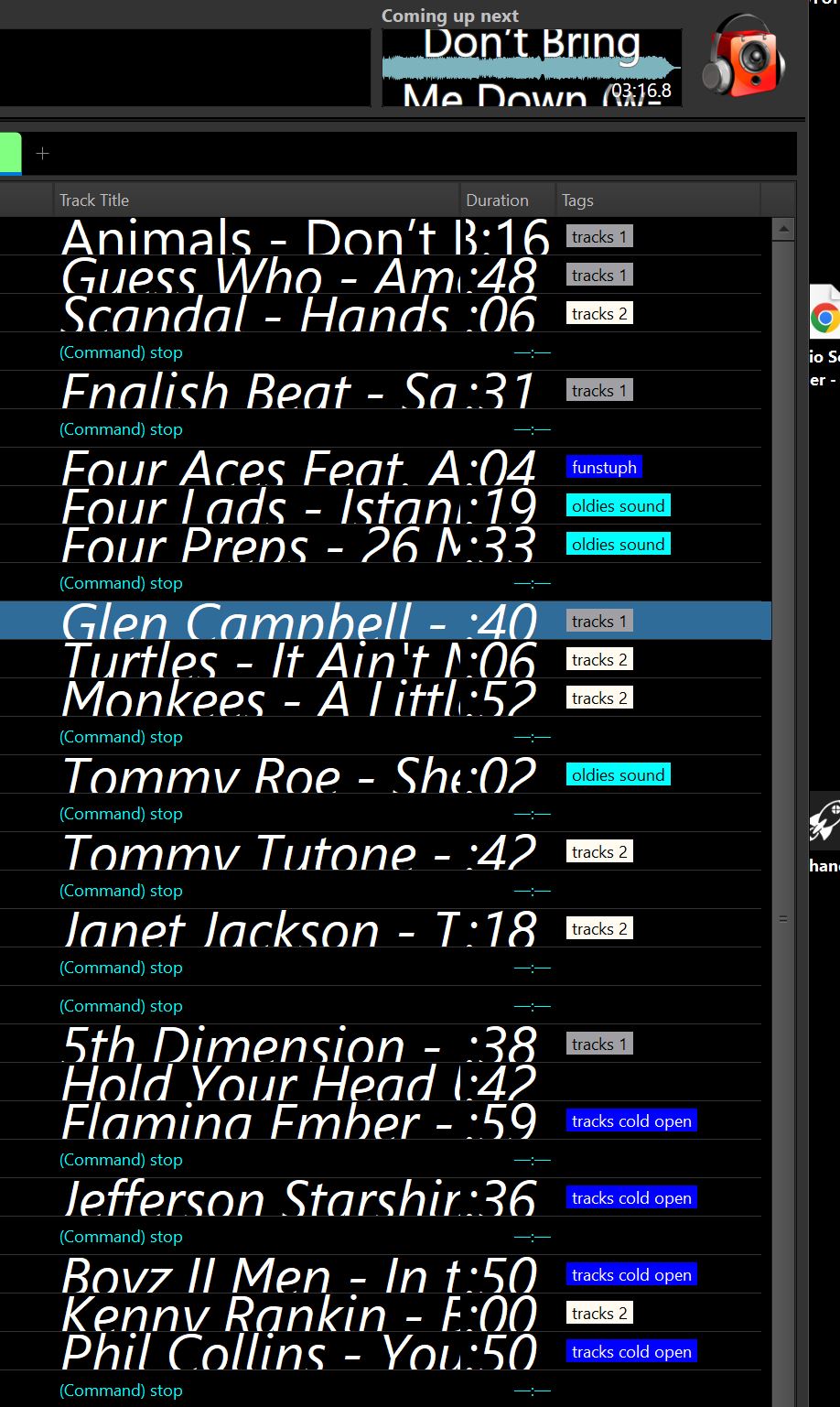
I've just upgraded to RB Ultimate 7.2.1.8. When I restarted the program after install, the UI was all messed up (see attached pic). The fonts for everything were way too large and out of the window parameters. Only portions of the fonts were visible, with tops and bottoms cut off. The windows were sized correctly, just the fonts were way out of whack. Also all the theme colors disappeared. When I tried to get things back to the way they were by recalling a saved profile, the theme colors returned, but the fonts were still out of whack.
I did the upgrade on my production PC. As of now, I'm hesitating to do it on the on-air machine as I don't want to upset the apple cart, as it were.
Is there a config file or some other file I can copy out of the old system, that I can insert in the upgraded system to restore the UI parameters I've painstakingly set up previously?
thanks...
...joe p
I did the upgrade on my production PC. As of now, I'm hesitating to do it on the on-air machine as I don't want to upset the apple cart, as it were.
Is there a config file or some other file I can copy out of the old system, that I can insert in the upgraded system to restore the UI parameters I've painstakingly set up previously?
thanks...
...joe p
Last edited:

