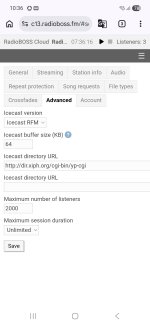
Over the past few days, I’ve been noticing a possible bug related to metadata reception in streaming relays.
What happens is that, in many cases, the metadata gets stuck/frozen and does not update. It only changes or refreshes after I manually reconnect the stream in RadioBOSS Cloud.
All the streams we relay are highly stable and run 24/7 without interruption.
I tested reducing the auto-reconnect interval to every 4 hours, but the issue still continues to occur.
We currently have more than 20 stations on the platform, and from what I’ve identified so far, this is happening with servers: c5, c13, and c38.
What happens is that, in many cases, the metadata gets stuck/frozen and does not update. It only changes or refreshes after I manually reconnect the stream in RadioBOSS Cloud.
All the streams we relay are highly stable and run 24/7 without interruption.
I tested reducing the auto-reconnect interval to every 4 hours, but the issue still continues to occur.
We currently have more than 20 stations on the platform, and from what I’ve identified so far, this is happening with servers: c5, c13, and c38.