This is not a bug, you have configure too large font and the text doesn't fit. If you want it to display correctly, please use the "Secondary windows zoom" (Setting > View > Style) option, this will properly increase fonts and window/control sizes, so everything will fit.Event: Text issue

You are using an out of date browser. It may not display this or other websites correctly.
You should upgrade or use an alternative browser.
You should upgrade or use an alternative browser.
RadioBOSS 7.2 [beta]
- Thread starter djsoft
- Start date
- Status
- Not open for further replies.
Can you please provide more information where this happens?In Radio Boss 7.2 Beta, the volume cuts out when it reaches approximately 70%, and this also happens when I edit the fade settings in the track tool. The volume doesn't decrease gradually; it simply disappears.
Standard version will see very few/none of the major new features in the future. As the name implies, "Standard" means the base functions, and it already does include a lot of functions more than enough for most stations. Most/all of the new major features will only be added into Advanced and Ultimate editions.Will the new playlist management tool be available in the Standard version, or Ultimate only?
I had moved the discussion about the generate command into a separate thread: https://www.djsoft.net/community/threads/radioboss-7-2-beta-generate-command.13992/
This is more of request for the second time... Let me just shoot my shot.
I run the playlist in queue mode since playlist load hourly. When I move my cursor to the last track... It shows me the last four played tracks plus the current playing item. Now I understand there's a log to show last played tracks but I keep having issues with DJs still struggling with back announcing and totally forget to look at the log. My request is if a playlist is in queue mode... Is it possible for the last four tracks to always remain in the playlist, as the playlist advances it delete in sequence thus maintaining only the 4 last played tracks... In other words instead of deleting every played track immediately after play.. It maintains only 4 of the last played items.
Hope it makes sense..
Thank you
I run the playlist in queue mode since playlist load hourly. When I move my cursor to the last track... It shows me the last four played tracks plus the current playing item. Now I understand there's a log to show last played tracks but I keep having issues with DJs still struggling with back announcing and totally forget to look at the log. My request is if a playlist is in queue mode... Is it possible for the last four tracks to always remain in the playlist, as the playlist advances it delete in sequence thus maintaining only the 4 last played tracks... In other words instead of deleting every played track immediately after play.. It maintains only 4 of the last played items.
Hope it makes sense..
Thank you
Soy un gran fan de RadioBoss; el único problema que tengo en mi país es el clima. Primero, la velocidad del viento se mide en km/h, y segundo, era más fácil programarlo con un archivo. Sé que probablemente no pueda comprar por razones económicas, pero ayudaré en todo lo que pueda.
Respecto al clima, estoy haciendo algo mal porque implementé mi API de OpenWeather y no funciona. Si alguien sabe cómo ayudarme, se lo agradecería.
Respecto al clima, estoy haciendo algo mal porque implementé mi API de OpenWeather y no funciona. Si alguien sabe cómo ayudarme, se lo agradecería.
RadioBOSS 7.2.0.1 beta
Changes
x86 https://dl.djsoft.net/beta/radioboss_setup_7.2.0.1.exe (2/11/2026, 35MB)
x64 https://dl.djsoft.net/beta/radioboss_setup_7.2.0.1_x64.exe (2/11/2026, 39MB)
Changes
- The 'generate' command was improved to allow specifying start time/day
- Events that run the "generate" command start earlier (based on the option in Settings > Scheduler) to ensure the created playlist starts on time
- Improved Settings window design
- Added workspace option: playback timers position
- Nowplaying bar FPS increased to make anumation smoother
- Right-click on the Weather/Remaining this hour label to change what it displays
- Playlist Generator: added "Gender" constraint rule
- Dayparting window: added presets
- Fixed: AV message when recording a voice track
- Playlist Generator: a warning is logged when start time is not specified and dayparting is not available
- Fixed: time format in Clock tab
- Fixed Clock tab was rendered incorrectly sometimes
- Improved Dayparting user interface
- Improved level meter display in dark themes
- Fixed: sometimes an X was shown for the Log tab
- Added more default icons for file types
- Fixed: font color was not applied for tabs
- Fixed: file type icon was not saved
x86 https://dl.djsoft.net/beta/radioboss_setup_7.2.0.1.exe (2/11/2026, 35MB)
x64 https://dl.djsoft.net/beta/radioboss_setup_7.2.0.1_x64.exe (2/11/2026, 39MB)
Thank you for the request, this feature is noted for the future versions.I run the playlist in queue mode since playlist load hourly. When I move my cursor to the last track... It shows me the last four played tracks plus the current playing item. Now I understand there's a log to show last played tracks but I keep having issues with DJs still struggling with back announcing and totally forget to look at the log. My request is if a playlist is in queue mode... Is it possible for the last four tracks to always remain in the playlist, as the playlist advances it delete in sequence thus maintaining only the 4 last played tracks... In other words instead of deleting every played track immediately after play.. It maintains only 4 of the last played items.
Hope it makes sense..
Please write in English.Soy un gran fan de RadioBoss; el único problema que tengo en mi país es el clima. Primero, la velocidad del viento se mide en km/h, y segundo, era más fácil programarlo con un archivo. Sé que probablemente no pueda comprar por razones económicas, pero ayudaré en todo lo que pueda.
Respecto al clima, estoy haciendo algo mal porque implementé mi API de OpenWeather y no funciona. Si alguien sabe cómo ayudarme, se lo agradecería.
Every time I have the mix start point set on items like jingles that start with FX sounds or songs that have a fade in/reverse transition... The mix points are not respected at all. This always troubled me... The music doesn't fade out and the mix start actually doesn't do what I think it should do. I set it the way I used to set the Mix In point in the likes of Zetta.
Thanks
Thanks

IvanVK
Member
That's enough corrections for me to start using this version in the program...we'll figure out the rest as we goRadioBOSS 7.2.0.1 beta
Changes
Download
- The 'generate' command was improved to allow specifying start time/day
- Events that run the "generate" command start earlier (based on the option in Settings > Scheduler) to ensure the created playlist starts on time
- Improved Settings window design
- Added workspace option: playback timers position
- Nowplaying bar FPS increased to make anumation smoother
- Right-click on the Weather/Remaining this hour label to change what it displays
- Playlist Generator: added "Gender" constraint rule
- Dayparting window: added presets
- Fixed: AV message when recording a voice track
- Playlist Generator: a warning is logged when start time is not specified and dayparting is not available
- Fixed: time format in Clock tab
- Fixed Clock tab was rendered incorrectly sometimes
- Improved Dayparting user interface
- Improved level meter display in dark themes
- Fixed: sometimes an X was shown for the Log tab
- Added more default icons for file types
- Fixed: font color was not applied for tabs
- Fixed: file type icon was not saved
x86 https://dl.djsoft.net/beta/radioboss_setup_7.2.0.1.exe (2/11/2026, 35MB)
x64 https://dl.djsoft.net/beta/radioboss_setup_7.2.0.1_x64.exe (2/11/2026, 39MB)


tomimatko
Active member
First of all, thanks for bringing the generate command back and improving it — things feel normal and intuitive again, which is great.
The new “start earlier” option also makes sense and I understand the reasoning behind it.
I’d like to suggest one possible improvement regarding where this option is configured.
At the moment, since start earlier is defined globally in Settings > Scheduler, it also affects manual actions. For example, if it’s set to 3 minutes and I click Run now on an event, the event does not start immediately but waits those 3 minutes.
This can be problematic in real-world situations — for instance, if a playlist is empty or incorrect and I want to regenerate it immediately. In that case, pressing Run now and having to wait several minutes is not ideal.
In practice, most playlists are generated almost instantly (especially hourly ones), while some special cases may indeed need several minutes. Because of that, it might be better if the start earlier offset was configurable per scheduler event (in the Scheduler Wizard), instead of being a global setting.
That would allow:
The new “start earlier” option also makes sense and I understand the reasoning behind it.
I’d like to suggest one possible improvement regarding where this option is configured.
At the moment, since start earlier is defined globally in Settings > Scheduler, it also affects manual actions. For example, if it’s set to 3 minutes and I click Run now on an event, the event does not start immediately but waits those 3 minutes.
This can be problematic in real-world situations — for instance, if a playlist is empty or incorrect and I want to regenerate it immediately. In that case, pressing Run now and having to wait several minutes is not ideal.
In practice, most playlists are generated almost instantly (especially hourly ones), while some special cases may indeed need several minutes. Because of that, it might be better if the start earlier offset was configurable per scheduler event (in the Scheduler Wizard), instead of being a global setting.
That would allow:
- critical or heavy playlists to start earlier,
- simple or test events to run immediately,
- and manual Run now actions to behave as expected.
I love these new features, but I am starting to see some serious regression in terms of accessibility. For example, going to the wizard and pressing next after choosing the option to generate a playlist, there are two unlabeled buttons. By pressing them, I learned what they did, but blundering around to figure something out isn't accessibility, its just dumb luck. Also, in the scheduler settings, the checkbox labeled "Start ‘generate’ command events earlier than the set start time (minutes)" reads perfectly fine, but when pressing tab, the label for that edit field is "Sweeper selection: allowed duration deviation 3."
While addressing accessibility, the virtual mixer is completely useless. you can tab between controls but nothing but the word "unknown" is spoken with NVDA, and narrator fairs no better. My concern is that whatever is being used to create new elements in the UI does not include elements required for accessibility.
While addressing accessibility, the virtual mixer is completely useless. you can tab between controls but nothing but the word "unknown" is spoken with NVDA, and narrator fairs no better. My concern is that whatever is being used to create new elements in the UI does not include elements required for accessibility.
tomimatko
Active member
Maybe one small suggestion regarding dayparting and the Scheduler Wizard.
When a playlist is generated from the Scheduler, it might not be necessary to manually enter the start time and day in the Wizard. The Scheduler already knows the exact execution time, so dayparting filters could be applied automatically based on the current day and hour at generation time.
Manually specifying the start time and day makes sense when using Generate playlist to a file outside of the Scheduler context, because in that case the system has no time reference.
This distinction could make the workflow simpler and reduce the chance of human error, while still keeping full control for manual or offline playlist generation.
When a playlist is generated from the Scheduler, it might not be necessary to manually enter the start time and day in the Wizard. The Scheduler already knows the exact execution time, so dayparting filters could be applied automatically based on the current day and hour at generation time.
Manually specifying the start time and day makes sense when using Generate playlist to a file outside of the Scheduler context, because in that case the system has no time reference.
This distinction could make the workflow simpler and reduce the chance of human error, while still keeping full control for manual or offline playlist generation.

xzsaimon16
Active member
RadioBOSS 7.2.0.1 beta
Changes
Download
- The 'generate' command was improved to allow specifying start time/day
- Events that run the "generate" command start earlier (based on the option in Settings > Scheduler) to ensure the created playlist starts on time
- Improved Settings window design
- Added workspace option: playback timers position
- Nowplaying bar FPS increased to make anumation smoother
- Right-click on the Weather/Remaining this hour label to change what it displays
- Playlist Generator: added "Gender" constraint rule
- Dayparting window: added presets
- Fixed: AV message when recording a voice track
- Playlist Generator: a warning is logged when start time is not specified and dayparting is not available
- Fixed: time format in Clock tab
- Fixed Clock tab was rendered incorrectly sometimes
- Improved Dayparting user interface
- Improved level meter display in dark themes
- Fixed: sometimes an X was shown for the Log tab
- Added more default icons for file types
- Fixed: font color was not applied for tabs
- Fixed: file type icon was not saved
x86 https://dl.djsoft.net/beta/radioboss_setup_7.2.0.1.exe (2/11/2026, 35MB)
x64 https://dl.djsoft.net/beta/radioboss_setup_7.2.0.1_x64.exe (2/11/2026, 39MB)
1 The "container" file type applies the color, but it does not apply the icon.
Could something similar to the "WinRAR" icon be added to the icon list to represent compressed files for this file type?Also, the folder icon for the tracklist. Also, the folder icon for the tracklist.
2) Could an option be added to change the font for file types?
3) I noticed that the "previous", "now", and "next" icons were added, but they are not functioning yet. Do we need to wait for a future update?
4) One observation: when I set the font color to white for the "Next Track" and "Played Tracks" elements in the playlist, the "priority over file types" option is lost, but only for the font.
5) In "Playing Tracks" in the playlist, the "priority over file types" option is missing. Because I believe the priority is lost when the font color is set to white.
6) In Teaser, I set the intro and outro hooks correctly, but in ending is not exact as configured; it finishes a few milliseconds after the outro hook.
Last edited:
tomimatko
Active member
One more observation regarding dayparting and warnings in the Playlist Generator.
I have a simple setup with jingles:
- several jingles with a weekend dayparting rule
- one jingle with a weekday dayparting rule
When I create a Generate playlist event in the Scheduler Wizard and explicitly specify the day and hour, dayparting is actually respected correctly — the appropriate jingle is selected and placed into the playlist as expected.
However, during generation I consistently get the warning:
Error: No suitable track found (rule: dayparting). Category: "Jingl"
even though the result is correct and a suitable jingle is found and used.
For clarity:
dayparting rules are set correctly
the generated playlist content is correct
Ignore all no-repeat rules for Jingl is enabled in the Playlist Generator
Because of this, the warning seems misleading in this case, as generation succeeds and dayparting works as intended.
I have a simple setup with jingles:
- several jingles with a weekend dayparting rule
- one jingle with a weekday dayparting rule
When I create a Generate playlist event in the Scheduler Wizard and explicitly specify the day and hour, dayparting is actually respected correctly — the appropriate jingle is selected and placed into the playlist as expected.
However, during generation I consistently get the warning:
Error: No suitable track found (rule: dayparting). Category: "Jingl"
even though the result is correct and a suitable jingle is found and used.
For clarity:
dayparting rules are set correctly
the generated playlist content is correct
Ignore all no-repeat rules for Jingl is enabled in the Playlist Generator
Because of this, the warning seems misleading in this case, as generation succeeds and dayparting works as intended.
tomimatko
Active member
One more practical suggestion regarding Auto Intro.
It would be very helpful if Auto Intro events were visible in the playlist (for example as a marker or placeholder), so it’s clear when an Auto Intro is going to occur.
In real operation, this happens quite often: I speak between two tracks, and an Auto Intro suddenly plays underneath. Since Auto Intros are inserted automatically and are not visible in advance, it’s impossible to anticipate or avoid this.
If Auto Intros were shown in the playlist, I could see where they are going to appear and, if needed, temporarily disable them or move them to a different position.
It would be very helpful if Auto Intro events were visible in the playlist (for example as a marker or placeholder), so it’s clear when an Auto Intro is going to occur.
In real operation, this happens quite often: I speak between two tracks, and an Auto Intro suddenly plays underneath. Since Auto Intros are inserted automatically and are not visible in advance, it’s impossible to anticipate or avoid this.
If Auto Intros were shown in the playlist, I could see where they are going to appear and, if needed, temporarily disable them or move them to a different position.
Last edited:
Another issue is about Advertising and Manual Mode. I'm on a voice break, I have activated the "stop after this track" and the adverts come in just to ambush me  . If the playlist is stopped. Let the adverts have the option to just queue up at the top of the playlist and wait so that they are the coming up next event
. If the playlist is stopped. Let the adverts have the option to just queue up at the top of the playlist and wait so that they are the coming up next eventI have actually just tested this again. It's actually Working just fine. The Mix Start is working fine.Every time I have the mix start point set on items like jingles that start with FX sounds or songs that have a fade in/reverse transition... The mix points are not respected at all. This always troubled me... The music doesn't fade out and the mix start actually doesn't do what I think it should do. I set it the way I used to set the Mix In point in the likes of Zetta.
Thanks
My bad
xzsaimon16
Active member
Sometimes when using the Track tool, this error appears in the waveform visualization.
Specifically, it has happened to me a couple of times while editing songs directly in the playlist.

Specifically, it has happened to me a couple of times while editing songs directly in the playlist.
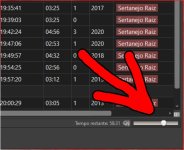
When I adjust the volume to the level shown in the photo, the sound disappears in Beta version 7.2, and in 7.1.6.2, the volume gradually decreases.Poderia fornecer mais informações sobre onde isso acontece?
Attachments
- Status
- Not open for further replies.
Similar threads

- Replies
- 18
- Views
- 8K
- Replies
- 527
- Views
- 208K