vanilla
New member
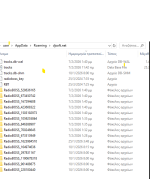
Roaming/DJsoft.net/Radiobos_ ......
New files are constantly being generated in this specific path, eventually consuming a significant amount of disk space. This leads to storage exhaustion and system instability. I attempted to delete some files manually, but I encountered an error message after the deletions on the log screen.
ps, i have more than one installations of RB in the same PC
New files are constantly being generated in this specific path, eventually consuming a significant amount of disk space. This leads to storage exhaustion and system instability. I attempted to delete some files manually, but I encountered an error message after the deletions on the log screen.
- How can I automatically delete older files?
- Is it possible to change the storage path to a different drive?
- What exactly do these folders contain, and are all these files necessary?
ps, i have more than one installations of RB in the same PC