RadioBOSS 7.2 [beta]

Yes, I also somehow preferred the info box in the previous version. The white background looked better to me than the current one, which is the same color as the frame — it helped separate it more clearly as a distinct element.
Maybe this will be added as a style option. Now it just used the theme background as opposed to using custom white color. Dark themes were already using the theme background so there no changes were made really.

My vote goes to this design. (from the previous version 7.2.0.2)
This was experimental, and it does have several problems e.g. reserved blank space on the left in case a track more than 1 hour duration is played (so it can show longer duration like 1:00:00.1), and it tears apart the top part which doesn't look right, and seems like those timers had to just be put somewhere.
 
The former design lacks aesthetics but is more straightforward and visually clean. While the new design is more appealing, the layout feels too cramped with the text.
I think you should see how new versions look where resizing (vertically) the top bars will be possible.

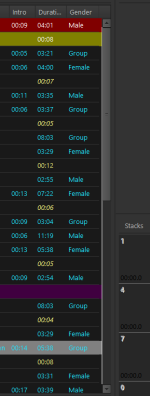
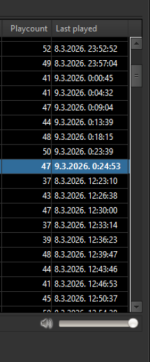
Version 7.2.0.3 - When the information for all of the columns selected for the main playlist window don't fit within the visible playlist window they can not be accessed by using the horizontal slider at the bottom of the playlist window. Previous versions allowed access to the non-visible columns by using the slider.
There's horizontal slider at the bottom of the playlist window. Can you please post a screenshot of how your RadioBOSS looks like?
 
As you mentioned earlier, I also hope there will be an option to disable Auto Intro while in this mode, so that nothing can interrupt you while you are talking.
This is planned for one of the future updates.

I would just like to ask if it would be possible to assign a keyboard shortcut to Manual Mode, so I don't have to click around with the mouse, but can simply press a key in a quick and elegant way.
Wouldn't it be dangerous because accidental key press on a keyboard will effectively stop events from running?
 
Maybe this will be added as a style option. Now it just used the theme background as opposed to using custom white color. Dark themes were already using the theme background so there no changes were made really.


This was experimental, and it does have several problems e.g. reserved blank space on the left in case a track more than 1 hour duration is played (so it can show longer duration like 1:00:00.1), and it tears apart the top part which doesn't look right, and seems like those timers had to just be put somewhere.
I totally understand, I just want to say that it would be nice to have it as a sort of visual option in the menu with the minimal corrections needed if it's feasible and not too demanding for the developers ofc.
 
Back
Top