RadioBOSS 7.2 [beta]

Yes, I also somehow preferred the info box in the previous version. The white background looked better to me than the current one, which is the same color as the frame — it helped separate it more clearly as a distinct element.
Maybe this will be added as a style option. Now it just used the theme background as opposed to using custom white color. Dark themes were already using the theme background so there no changes were made really.

My vote goes to this design. (from the previous version 7.2.0.2)
This was experimental, and it does have several problems e.g. reserved blank space on the left in case a track more than 1 hour duration is played (so it can show longer duration like 1:00:00.1), and it tears apart the top part which doesn't look right, and seems like those timers had to just be put somewhere.
 
The former design lacks aesthetics but is more straightforward and visually clean. While the new design is more appealing, the layout feels too cramped with the text.
I think you should see how new versions look where resizing (vertically) the top bars will be possible.

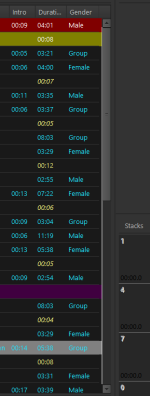
Version 7.2.0.3 - When the information for all of the columns selected for the main playlist window don't fit within the visible playlist window they can not be accessed by using the horizontal slider at the bottom of the playlist window. Previous versions allowed access to the non-visible columns by using the slider.
There's horizontal slider at the bottom of the playlist window. Can you please post a screenshot of how your RadioBOSS looks like?
 
As you mentioned earlier, I also hope there will be an option to disable Auto Intro while in this mode, so that nothing can interrupt you while you are talking.
This is planned for one of the future updates.

I would just like to ask if it would be possible to assign a keyboard shortcut to Manual Mode, so I don't have to click around with the mouse, but can simply press a key in a quick and elegant way.
Wouldn't it be dangerous because accidental key press on a keyboard will effectively stop events from running?
 
Maybe this will be added as a style option. Now it just used the theme background as opposed to using custom white color. Dark themes were already using the theme background so there no changes were made really.


This was experimental, and it does have several problems e.g. reserved blank space on the left in case a track more than 1 hour duration is played (so it can show longer duration like 1:00:00.1), and it tears apart the top part which doesn't look right, and seems like those timers had to just be put somewhere.
I totally understand, I just want to say that it would be nice to have it as a sort of visual option in the menu with the minimal corrections needed if it's feasible and not too demanding for the developers ofc.
 
When it's live streaming, it starts at the set quality, then after a few seconds it feels like the quality drops and then returns to the set quality, and the same thing happens when we record the stream.
 
I totally understand, I just want to say that it would be nice to have it as a sort of visual option in the menu with the minimal corrections needed if it's feasible and not too demanding for the developers ofc.
Do you refer to background color for track information or it's timer position?

I did a quick look at a couple of random competing software (both cost more than RadioBOSS). Neither offer such kind of UI customization options. Those timers are "here where we have placed them" and not changeable. I'm not sure why it's such a big deal in RadioBOSS :)

Newer is not always better :-)
Maybe a button somewhere in the design section to change from old to new Playlist Tab and back
?
"Switch back to old" is a path to nowhere, I'm sorry. Keeping both means 2x work if any change is made/new feature added to those tabs. Even new features in this version like emoji support is not possible already with "old tabs".

Same question as above, why those tabs are such a big deal? They look good, do what they are asked for and allow customization with colors and emojis and whatever.

 
When it's live streaming, it starts at the set quality, then after a few seconds it feels like the quality drops and then returns to the set quality, and the same thing happens when we record the stream.
What streaming format do you use? I checked a couple of test streams and there's no such problem and no other users report this. I suppose you have some DSP enabled that does it. In any case, encoders were not changed in RadioBOSS 7.2 vs. RadioBOSS 7.1.
 
Last edited:
I think it would be helpful if all executed commands had a closing notification, that is, a message indicating that they completed successfully.
In this case, the `createbackup` command doesn't provide any notification.
I'm not sure what's happening with the other commands.


1772970111074.png
 
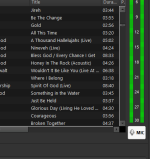
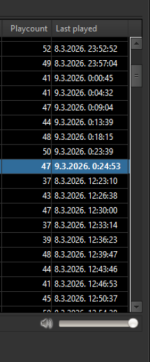
There's some creepy white color appearing as per the lastest update
Checkout out the attached images.
 

Attachments

  • Screenshot 2026-03-08 150044.png
    Screenshot 2026-03-08 150044.png
    22.2 KB · Views: 20
  • Screenshot 2026-03-08 150113.png
    Screenshot 2026-03-08 150113.png
    24.4 KB · Views: 20
Greetings to everyone who, in one way or another, contributes to making Radioboss the best automation program. For me, it is the best program; in fact, I've used version 7.2.3 and I run it on PC Master doesn't have any problems, just a few minor issues that will obviously be fixed since it's a beta version. Now we have the opportunity to test this new beta phase, version 7.2.4. I'll examine the changes and welcome the new adaptations in future versions. We're still testing; I'm not one to like comparing. I've had three types of automation systems, and I think the most... Relevant to the market and Radioboss has nothing to envy from any of them. Congratulations to the whole team and keep improving.
 
RadioBOSS 7.2.0.4 beta

Changes

  • "Add to playback queue" option for double-click action on a playlist track (Settings > Control)
  • Improved file types colors when combined with selection/hot track colors
  • Search - Ignore accents: option moved out of the advanced section
  • Log shows when the "generate" command has finished
  • Minor UI improvements and bugs fixed
Download
x86 https://dl.djsoft.net/beta/radioboss_setup_7.2.0.4.exe
x64 https://dl.djsoft.net/beta/radioboss_setup_7.2.0.4_x64.exe
After selecting an area outside the search list, the selection appears blank; it is not distinguishable as shown in the screenshot.
1772987331165.png

--------------------------------------------------

As a possible solution for the played file-type icons, I think there could be a key or key combination to toggle between the two modes.


Alternatively, there could be a quick-access option to quickly display the played file-type icons.

-------------------------------------------------------------------


I have a complaint regarding the text that indicates “intro” inside the playback bar. It becomes confusing when it reaches the outro marker: the announcer does not know where to look because two countdown timers appear with different times. This makes it very confusing.
Wouldn’t it be better to display the word “outro” in the counter on the right side?


It really looks bad when there are two countdown timers.
1772987572545.png


--------------------------------------------------------------------


Another important point: I would like the timers to be changed from 00:00.0 (longer) to 00.0s (shorter). This would save some space.

Like this:
1772987716702.png
 
Do you refer to background color for track information or it's timer position?

I did a quick look at a couple of random competing software (both cost more than RadioBOSS). Neither offer such kind of UI customization options. Those timers are "here where we have placed them" and not changeable. I'm not sure why it's such a big deal in RadioBOSS :)


"Switch back to old" is a path to nowhere, I'm sorry. Keeping both means 2x work if any change is made/new feature added to those tabs. Even new features in this version like emoji support is not possible already with "old tabs".

Same question as above, why those tabs are such a big deal? They look good, do what they are asked for and allow customization with colors and emojis and whatever.
The position of the timer in all 3 tabs...that's my only complaint, but if it can't be done as I suggested from version 7.2.0.2, let's move on to this latest version.
There's some creepy white color appearing as per the lastest update
Checkout out the attached images.
Same thing here, unless it's some new 3D effect :)
 

Attachments

  • Snimka zaslona 2026-03-09 002515.png
    Snimka zaslona 2026-03-09 002515.png
    68.9 KB · Views: 2
Would it be possible to make “Ends at 00:00:00” always visible?
For us, this is critical information during operation. We need to see the exact end time at all times without having to hover or interact with the mouse.
Here are a few examples.

1 test.png
1773014720000.png
 
Back
Top