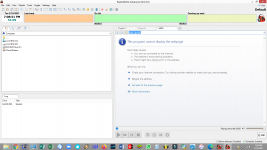
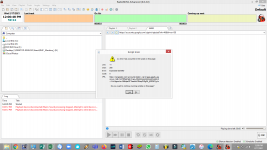
The web browser tab in RadioBOSS uses Edge as its rendering engine. Typically, no additional configuration is required, and the web browser works out of the box.
If, for some reason, the browser doesn't work, please install the WebView2 Runtime:
https://developer.microsoft.com/en-us/microsoft-edge/webview2/#download-section
Use the Evergreen Standalone Installer option, then select x86 or x64 - must match the architecture of your RadioBOSS installation. You can view the RadioBOSS architecture by clicking Help > About. If it says at the top "RadioBOSS a.b.c.d x64" then you have a 64-bit version, otherwise it's x86.
If, for some reason, the browser doesn't work, please install the WebView2 Runtime:
https://developer.microsoft.com/en-us/microsoft-edge/webview2/#download-section
Use the Evergreen Standalone Installer option, then select x86 or x64 - must match the architecture of your RadioBOSS installation. You can view the RadioBOSS architecture by clicking Help > About. If it says at the top "RadioBOSS a.b.c.d x64" then you have a 64-bit version, otherwise it's x86.
Last edited: