RadioBOSS 7.2 [beta]

Thank you!


API may be added but may be later once the mixer settles in - otherwise we will spent more time doing then redoing the API in case mixer needs to be changed considerably for some reason. Maybe you can achieve the same using the existing API commands - depending on what exactly needs to be switched on/off.
Thank you for your reply. The idea would be to be able, via the API, to enable or disable an input, and it would be even better if a fade parameter could be added. That’s why the mixer would be perfect for this.
 
It’s impossible for me to save an icon in this file type. I select an icon in the file type settings and click OK, but when I go back, the icon is gone. It seems like the change is not being saved.
 
Yes, there are users who run a single 24-hour playlist, and for them this approach is easy. But a serious radio station runs many playlists, depending on the day, time of day, weekends, and special programming.
I've had the suspicion that alot of the repeat protections seem based on the creation of 24 hour playlists in which repetitions can more easily be prevented. Since Radio boss has no overall day part music clock scheduling system (like most other radio scheduling systems), it means for some of us we have to create events to generate playlists every hour. The result is that, in my case at least, it is not uncommon for the same song to be inserted by the playlist generator an hour later when it generates the next hour's playlist. Or am I doing it wrong?
 
1. One event generating many playlists
You said that all playlists can be generated in one event.
How exactly would this work if I have 77 different playlists?
Do I need one long command with many presets and output files, or is there a simpler and more practical method for real radio use?
I too am curious about this process and would like to know how to implement it.
 
I too am curious about this process and would like to know how to implement it.
I didn’t know about this at first either. The key is the “Create Multiple Playlists” option — it’s a bit hidden, so check the Help section for instructions on how to use it.
It’s still more complex than the old workflow, but it allows you to generate all playlists with a single event instead of many separate ones.
 
Hello Dmitry,


Congratulations on the new version.


I have a few ideas in mind:
-the “On Air” and “Next” panels could be combined so the crossfaders are visible in real time — something like a live segue editor.

1770583002761.png
 
AutoIntro is very useful — the new interface is great, but it would be interesting to be able to see the file name in the interface.

Also, does the new function “Do not play at the same time as yesterday” make use of “Ignore global no-repeat rules” for the station imaging?

The icon configuration is lost for file types.

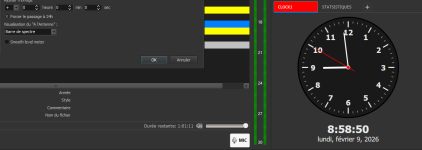
In the additional workspace area, it would be useful to duplicate the On Air and Next panels so the presenter can have that information visible on another monitor.

Lastly, with the new mixer, it’s very difficult to select 0 dB after moving it.
 
Back
Top