RadioBOSS works acceptably fine under Wine in Linux-based operating systems.
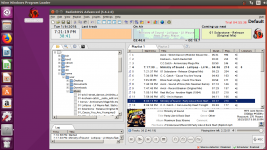
The example shows how to run RadioBOSS under Ubuntu.
1. Install Wine according to the manual: https://wiki.winehq.org/Ubuntu
2. Download RadioBOSS: https://www.djsoft.net/enu/download.htm
Right-click the downloaded file and select Run with Wine. When you run the RadioBOSS installer, Wine will ask to install additional components (Gecko, etc.) - everything should be installed - just click the Install button to do so.
3. Run RadioBOSS. Everything should start with no errors.
Limitations
1. RadioBOSS uses Windows fonts (Tahoma by default). In order to properly display the UI, it's recommended to change fonts to native ones in Style settings: https://manual.djsoft.net/radioboss/en/viewstyle_settings.htm
2. The WMA file format will not work and cause errors
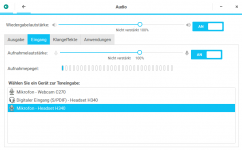
3. If the inputs or the microphone do not work, try selecting the WASAPI driver instead of DirectSound.
The example shows how to run RadioBOSS under Ubuntu.
1. Install Wine according to the manual: https://wiki.winehq.org/Ubuntu
2. Download RadioBOSS: https://www.djsoft.net/enu/download.htm
Right-click the downloaded file and select Run with Wine. When you run the RadioBOSS installer, Wine will ask to install additional components (Gecko, etc.) - everything should be installed - just click the Install button to do so.
3. Run RadioBOSS. Everything should start with no errors.
Limitations
1. RadioBOSS uses Windows fonts (Tahoma by default). In order to properly display the UI, it's recommended to change fonts to native ones in Style settings: https://manual.djsoft.net/radioboss/en/viewstyle_settings.htm
2. The WMA file format will not work and cause errors
3. If the inputs or the microphone do not work, try selecting the WASAPI driver instead of DirectSound.
Attachments
Last edited: